New VMP-beta feature: forum topic minimap
1Long topics now have a map running down the right side of the page. It’s a beta, so for now only VMP accounts can see it.
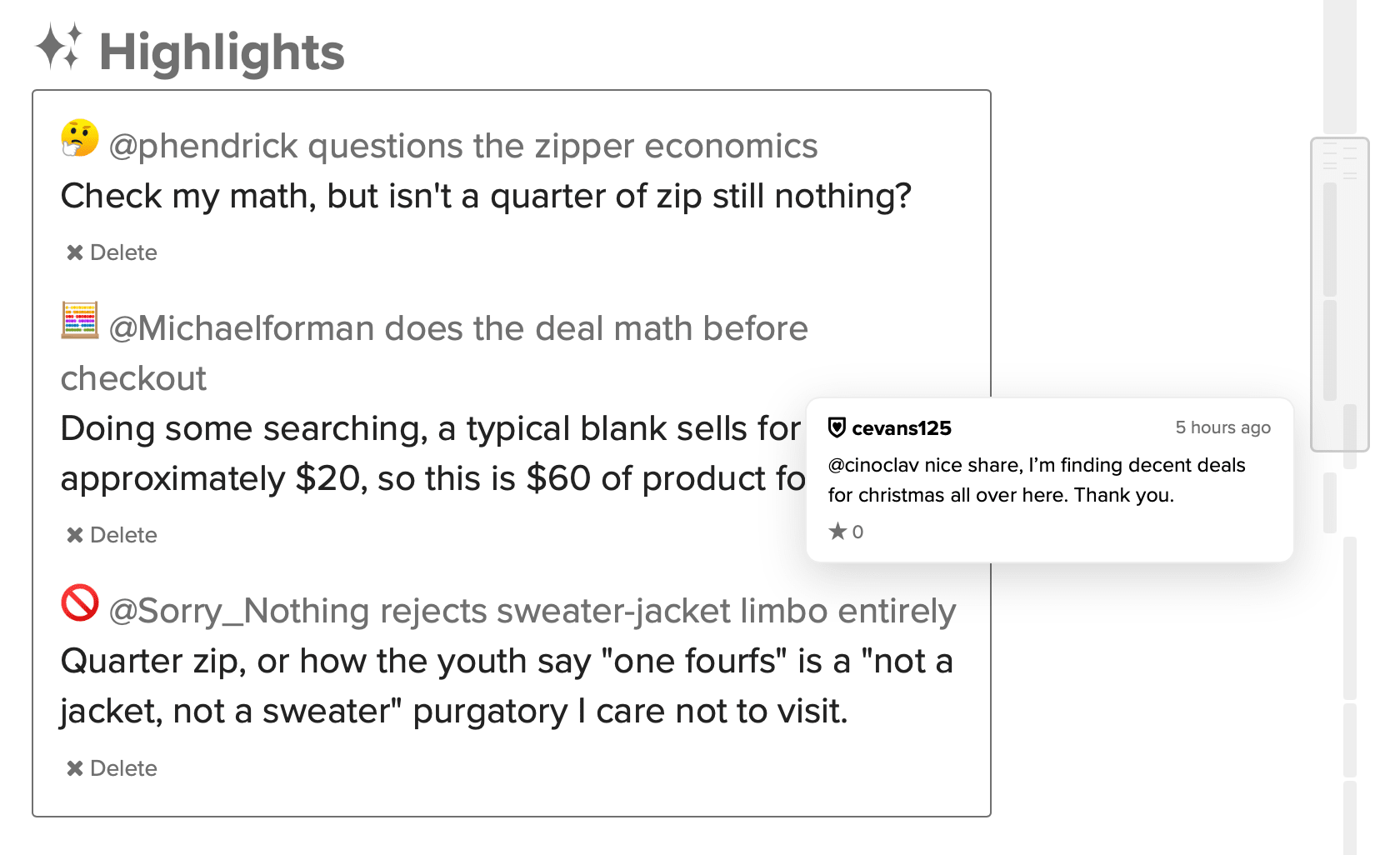
What you’re looking at
Every post in the topic gets its own mark — the topic itself, every comment, every reply, every whisper.
- Taller marks are longer posts, so the strip is the shape of the whole thread at a glance.
- Solid means unread. Outlined means you’ve already read it.
- Comments sit in the left lane, replies and whispers in the right one. The topic spans both, at the top.
- **The thin lines are posts currently hidden. The map covers the entire thread whether or not the page is currently showing it — that’s the whole point of it.
What you can do with it
- Hover a mark to see who posted, when, how many stars it has, and the first couple of lines.
- Click a mark to jump straight to that post.
- Click one of the thin lines to expand the hidden posts there.
- Drag the grey box to scrub through the topic. Press Escape mid-drag and it snaps back to where you started.
Worth knowing
- It needs a window at least 1024 pixels wide, so it won’t show up on a phone or a narrow window.
It’s new. If something looks wrong, say so.